
Team
Connor O’Toole - UX Researcher
Phyllis Liu - UX Designer
Duration
Jan 2019 - March 2019
Tools
Sketch and Invision
Pick-up Experience for Self-driving Cabs
This case study was part of my curriculum at the University of Washington. We were asked to apply the principles of user centered design to the future of automobile industry. Our problem statement was open ended and we had a lot of options to pick from.
One thing was certain though, that the future of automobile is certainly driven by autonomous technology so we decided to narrow down our scope to this topic. I was curious to learn and design the future of interaction between users and self-driving car.
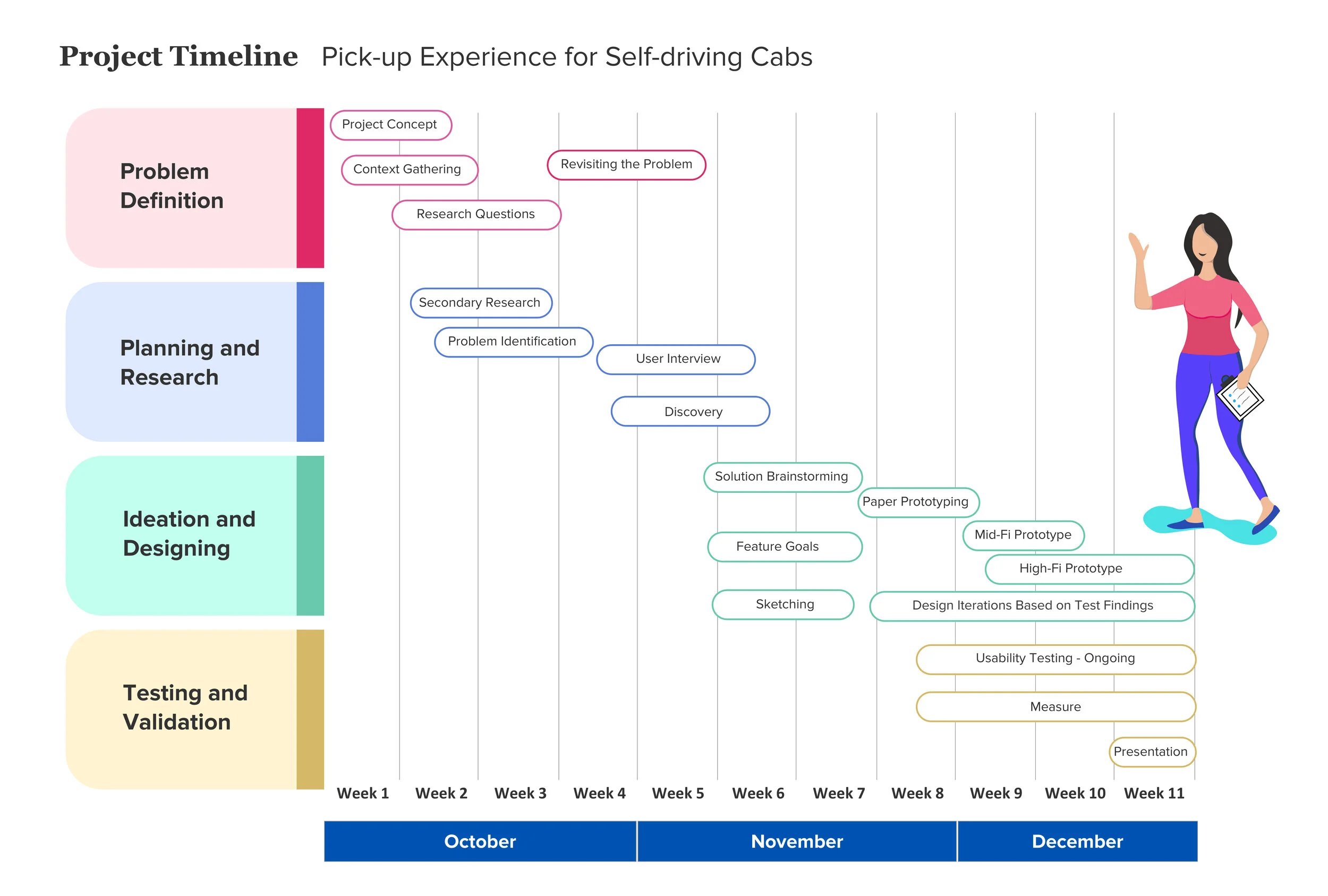
Project timeline in the four main stages of the process.
Background Research
I started researching about autonomous cars and what is the current state of technology. I found that the major technological advances are being carried out by companies like Uber, Lyft and Waymo. While researching about these companies, I stumbled upon many articles that mentioned the problems faced by passengers and drivers during the pickup process.
And this led us to a new revelation:
At present, user communicates with the car through a human driver during pickup process. So, how would this communication happen in absence of the driver?
I found that Waymo, which was first to launch self-driving cabs on Dec 5th 2018, has faced pickup challenges during their beta testing. In their own words:

The above findings helped us to define our design question.
Design Question
“How might we improve the pick-up experience of passengers with self-driving cabs?”
Research
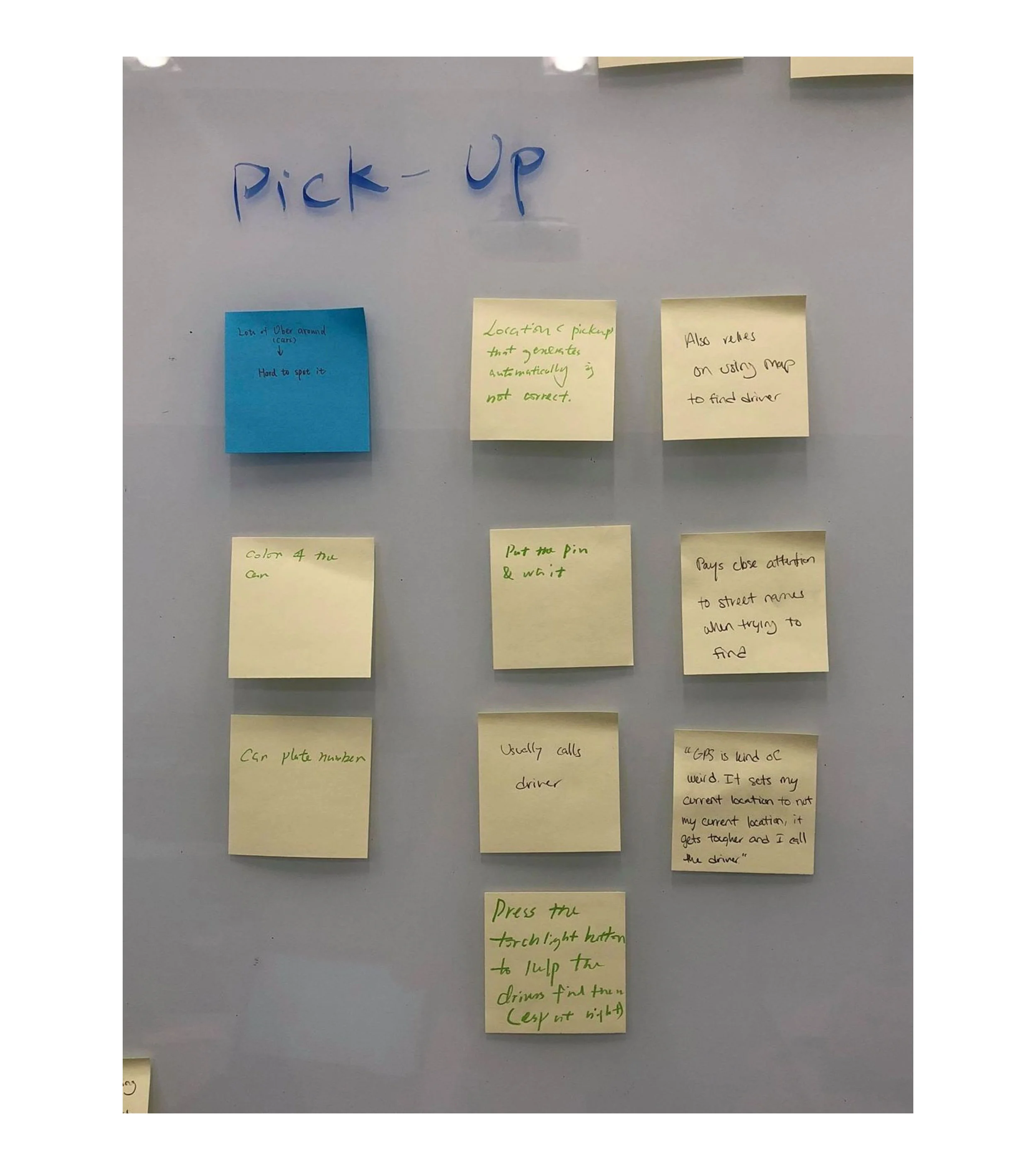
Solutions employed by users during pickup
We are already aware of situations where we are not able to find our cab during pickup. From the interviews, we wanted to understand what are other situations that users face while finding their cab. So, I conducted interviews to understand some of the difficulties faced by drivers and the passengers and what were the most common methods they used to remedy the situation.
We also probed our tech savvy candidates about their expectations during pickup process in case of self-driving cars.
We conducted a total of 8 one-on-one semi-structured interview sessions, 2 with Uber drivers and 6 with passengers who use ride-sharing applications. I also interviewed one user researcher from Uber with a research focus on rider experience.
Research Findings
Insights from Current Pickup Experience
Most of the trips involved some extra coordination effort such as a phone call to clarify the location and additional physical efforts such as walking somewhere else to meet the driver or the driver re-circling the block. This data showed that the experience was hardly the door-to-door magic that we expect during pickups.
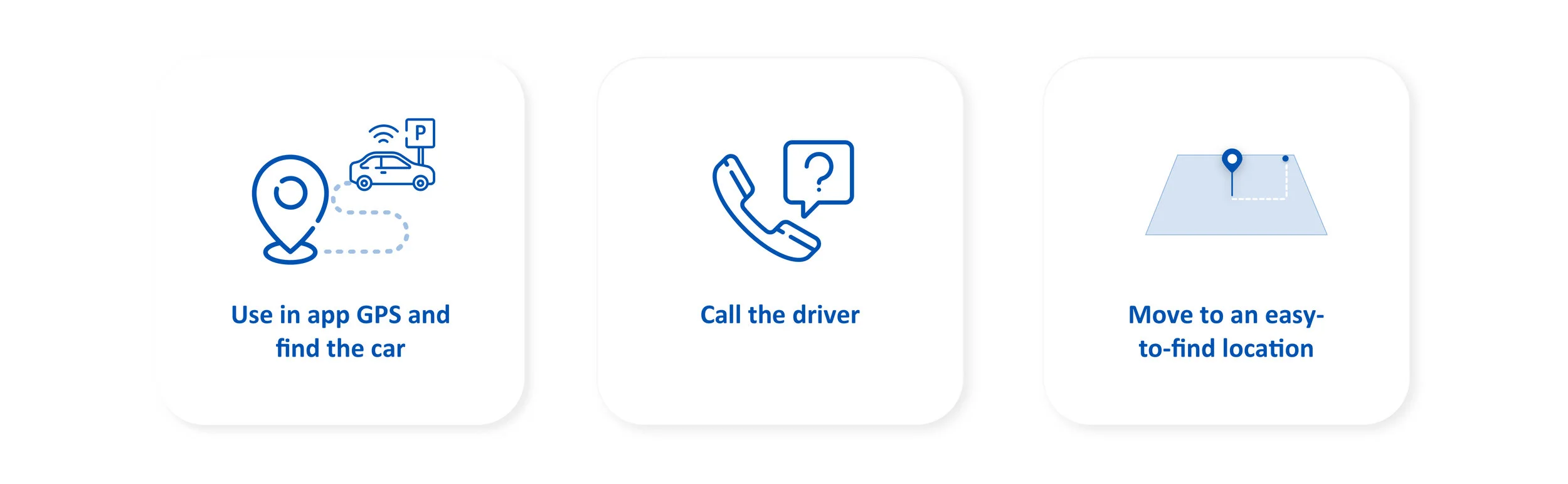
The top three ways passengers try to find the car are:
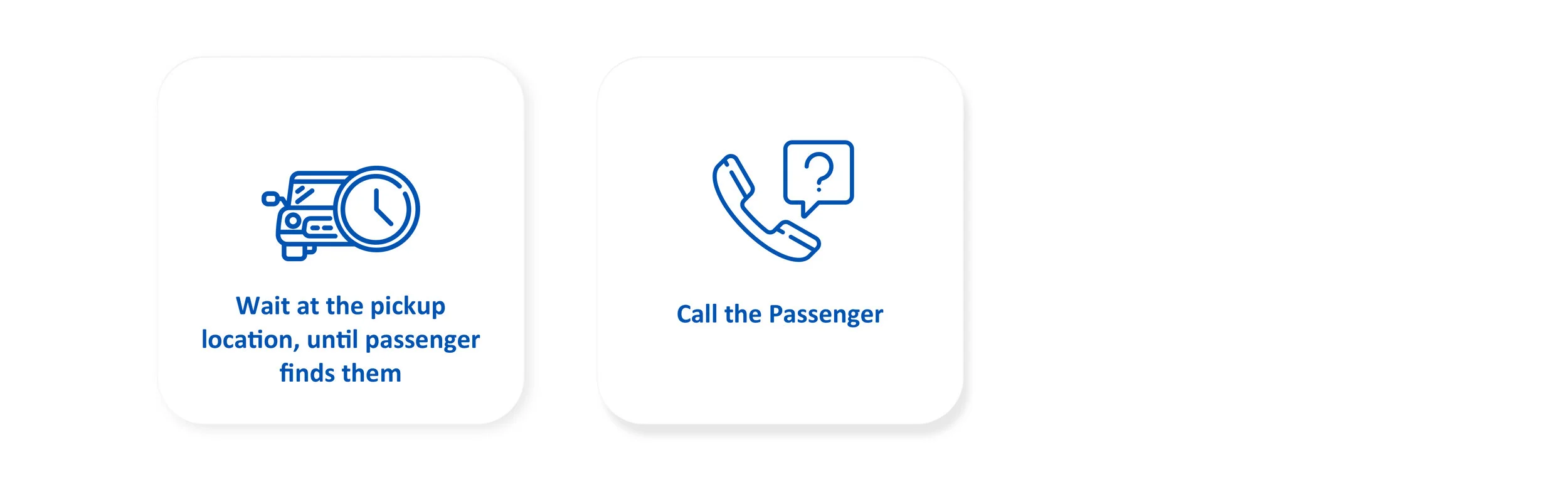
The top two ways driver try to find the passenger are:
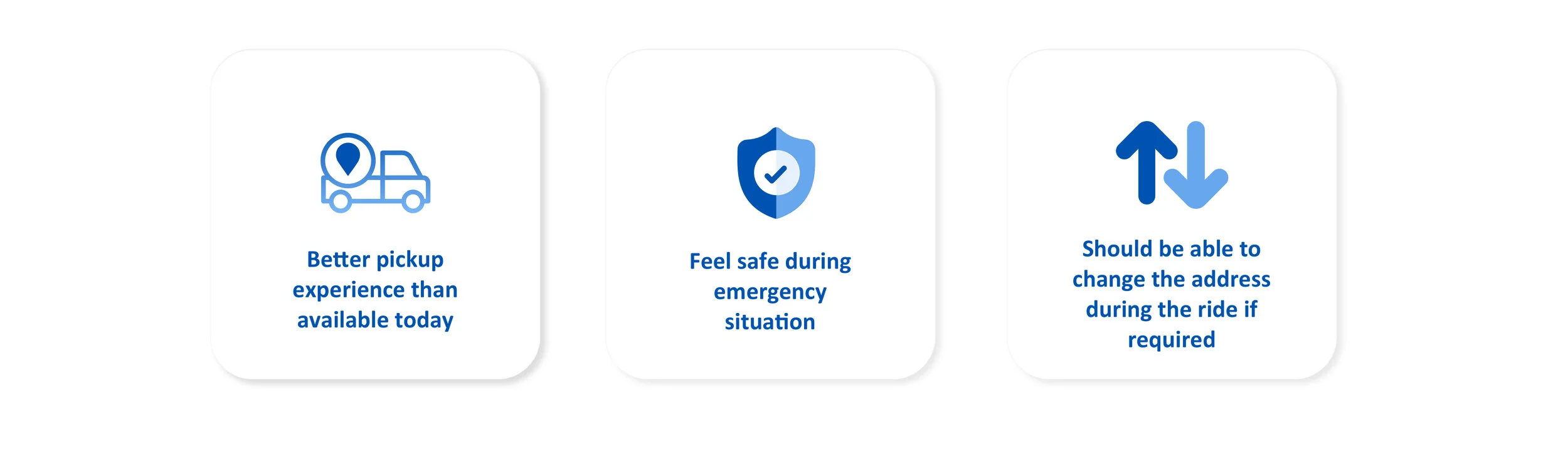
Insights for Self-driving Pickup Experience
Ideation
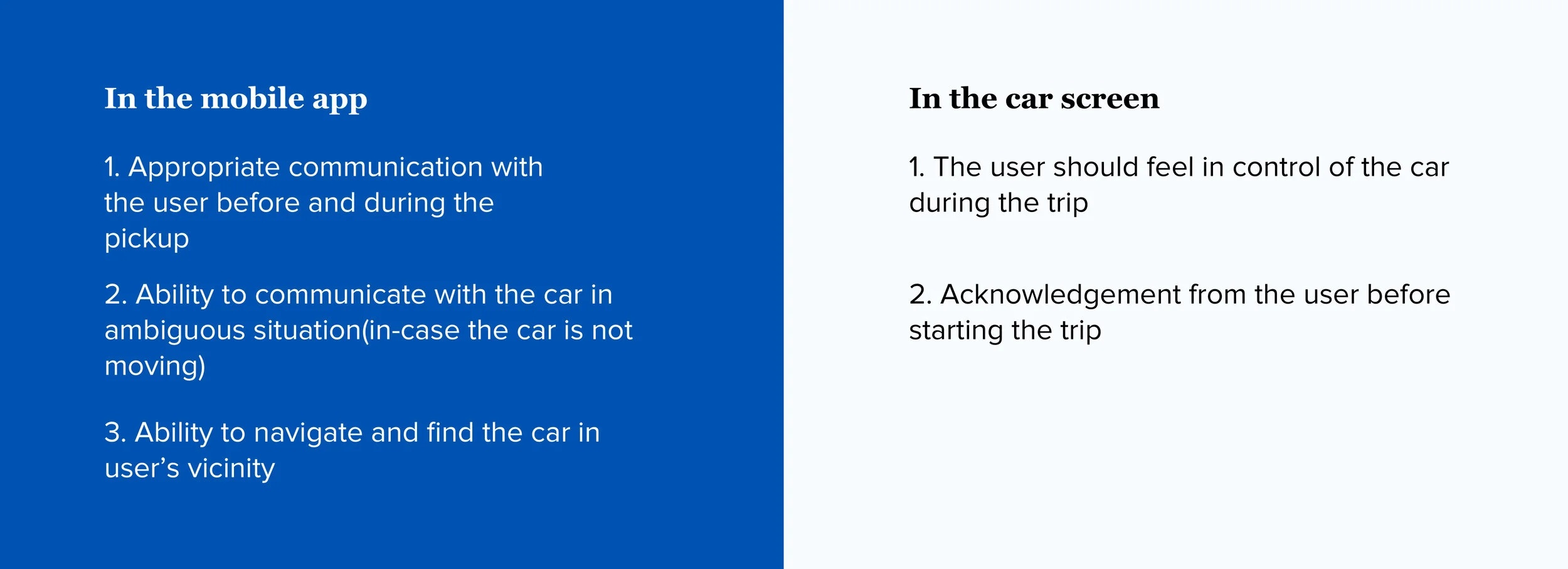
We brainstormed and decided that we would need to have two components as part of our overall solution.
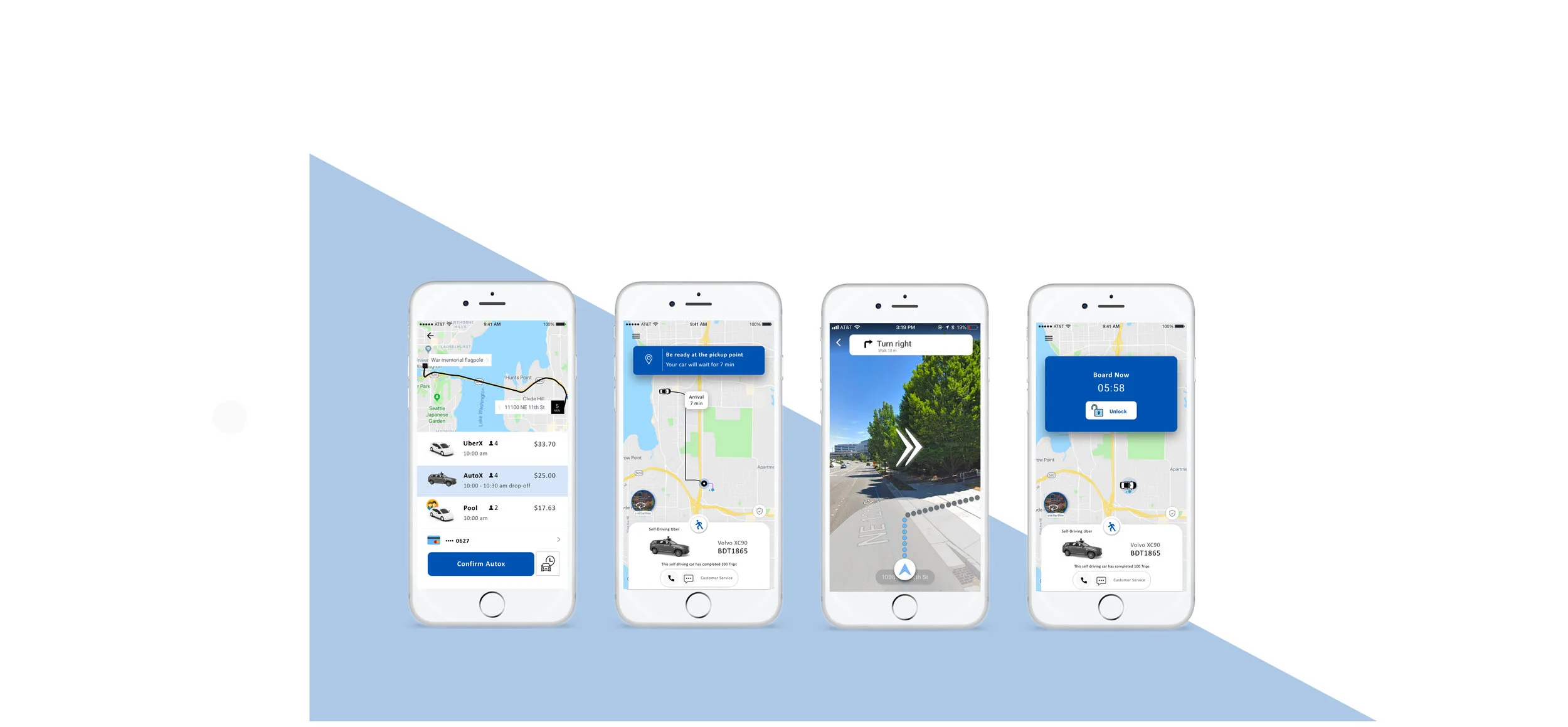
A mobile app that would provide users additional ways to track and locate their cars during pickup.
A screen within the car, which in the absence of a driver, users would use to communicate before and during their rides.
The diagram below highlights goals for both the components.
Goals
Feature conceptualization
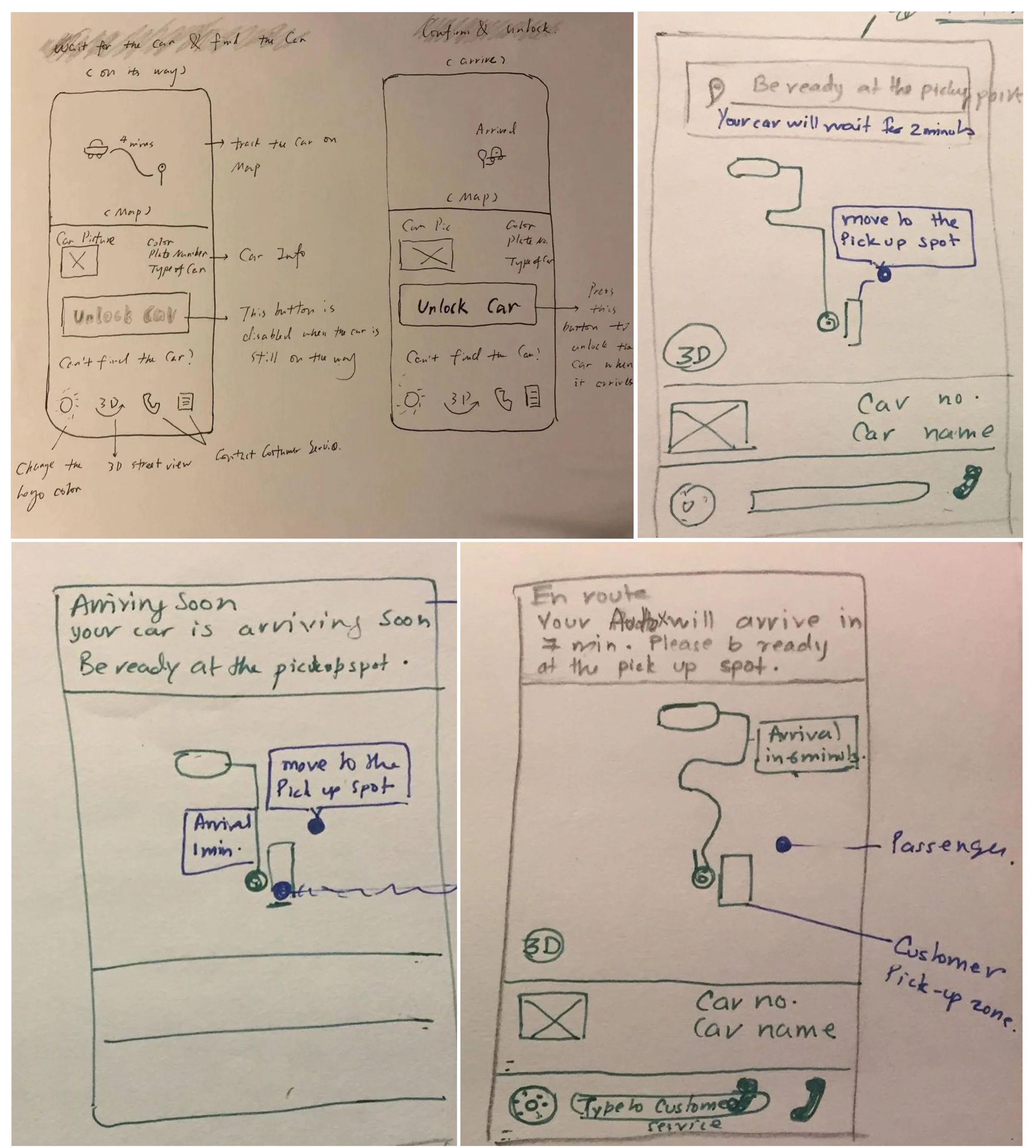
Sketches used for ideation
Paper Prototypes
To quickly test our concept, we created paper prototypes that demonstrated key user flows. Paper prototypes allowed us to brainstorm on main features without expending too many resources.
Key features in the first round of testing:

Feedback from Guerrilla Testing
We iterated on our paper prototypes by conducting guerrilla usability testing with 5 participants. The goal was to test solution concept, clarity of components, and user efficiency. The participants gave great feedback including concerns about edge case scenarios.
“I want to see how many trips the car has completed”
“I want to have control on locking and unlocking the car”
“Wait time of 2 mins is very less, it will be good to have 5 mins wait time”
“It will be good to have a reminder to fasten my seat beat”
“The term request stop is confusing, you could say pull over instead“
“In the car screen, you don’t have to show all the doors are open. Show reminder to close the door that user opened“
“I would like to see more information on my trip rather than infotainment system”
Hi-fidelity Mockups
After getting feedback on the paper prototype, I started creating high-fidelity screens while incorporating feedback received on features and performed second round of testing.
Final Solution for Mobile App
Feature 1: Move to the pick-up zone using augmented reality
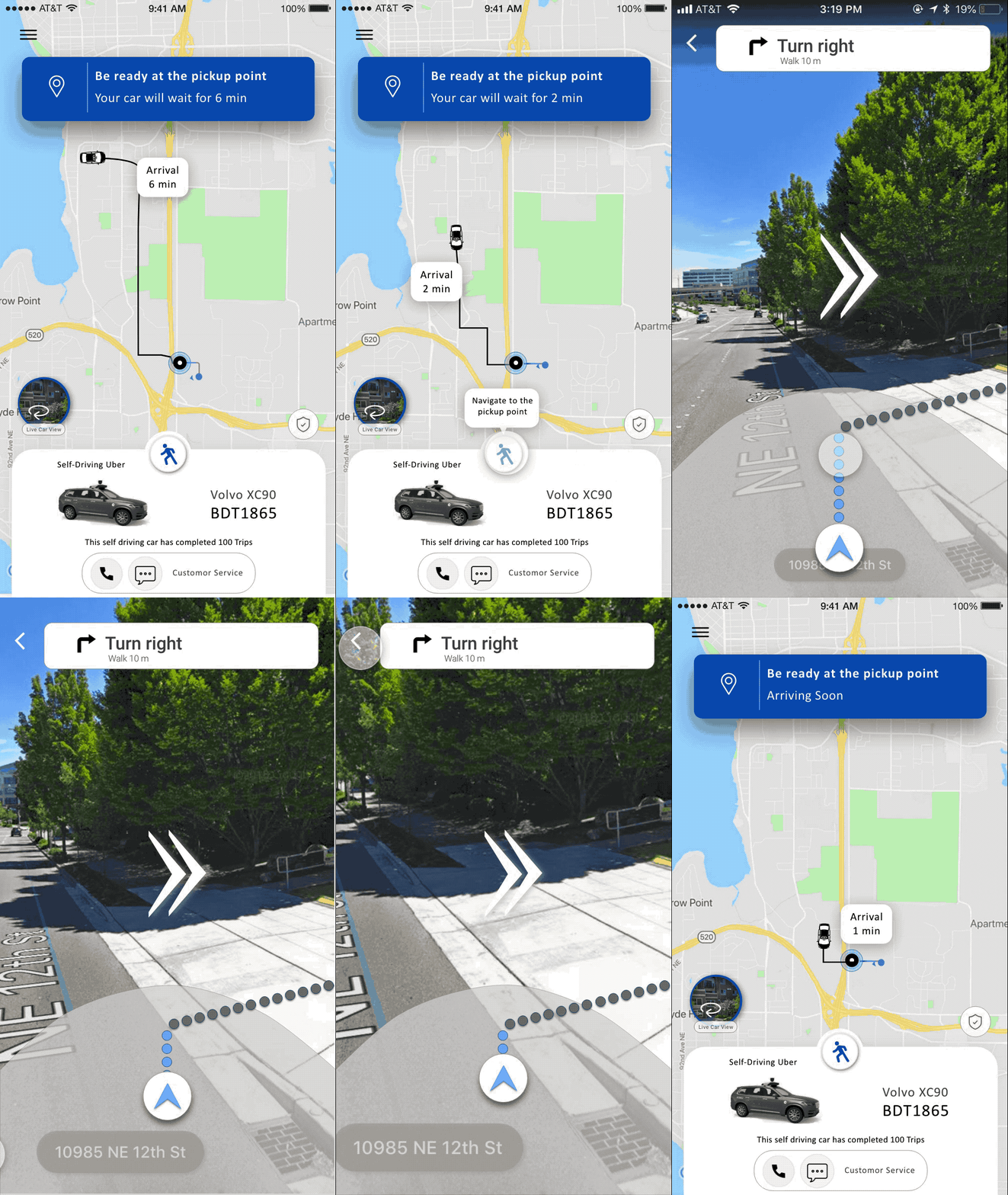
Prompt the user to move to the pickup point a few minutes before the arrival of the car. The app will use AR to overlay turn-by-turn walking instructions and animations over the real-time feed on phone’s camera. An arrow indicates which way you should proceed, with the on-screen map’s orientation rotating as your position changes in the real world.
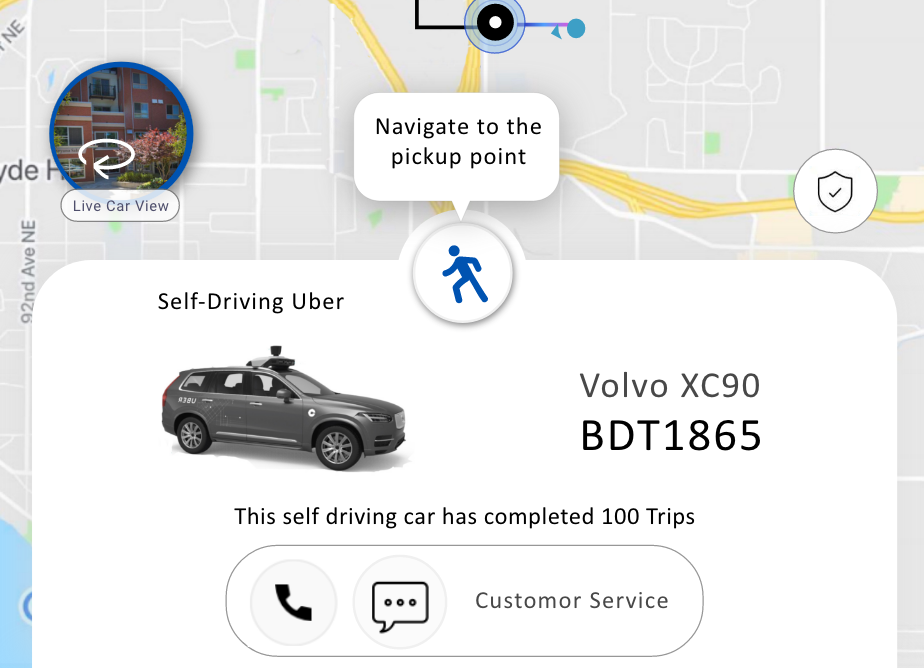
Feature 2: Live location feed of the car to let the passenger know the surrounding area of the car
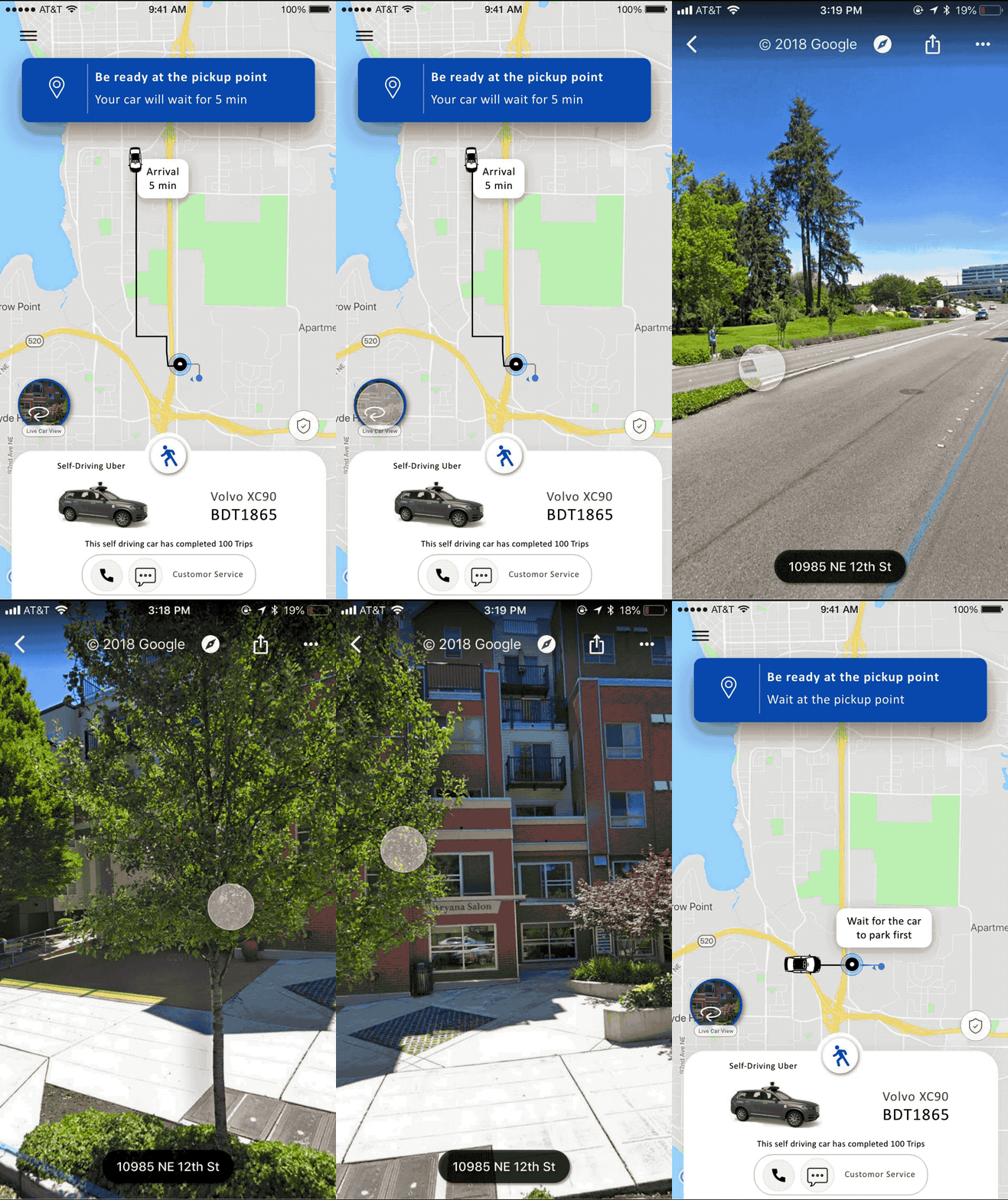
The 360° feed from the car can let the passengers track the current movement and surrounding of the self-driving car in-case the car is stuck in the traffic and is taking more time than expected.
Feature 3: Help screen for first time users
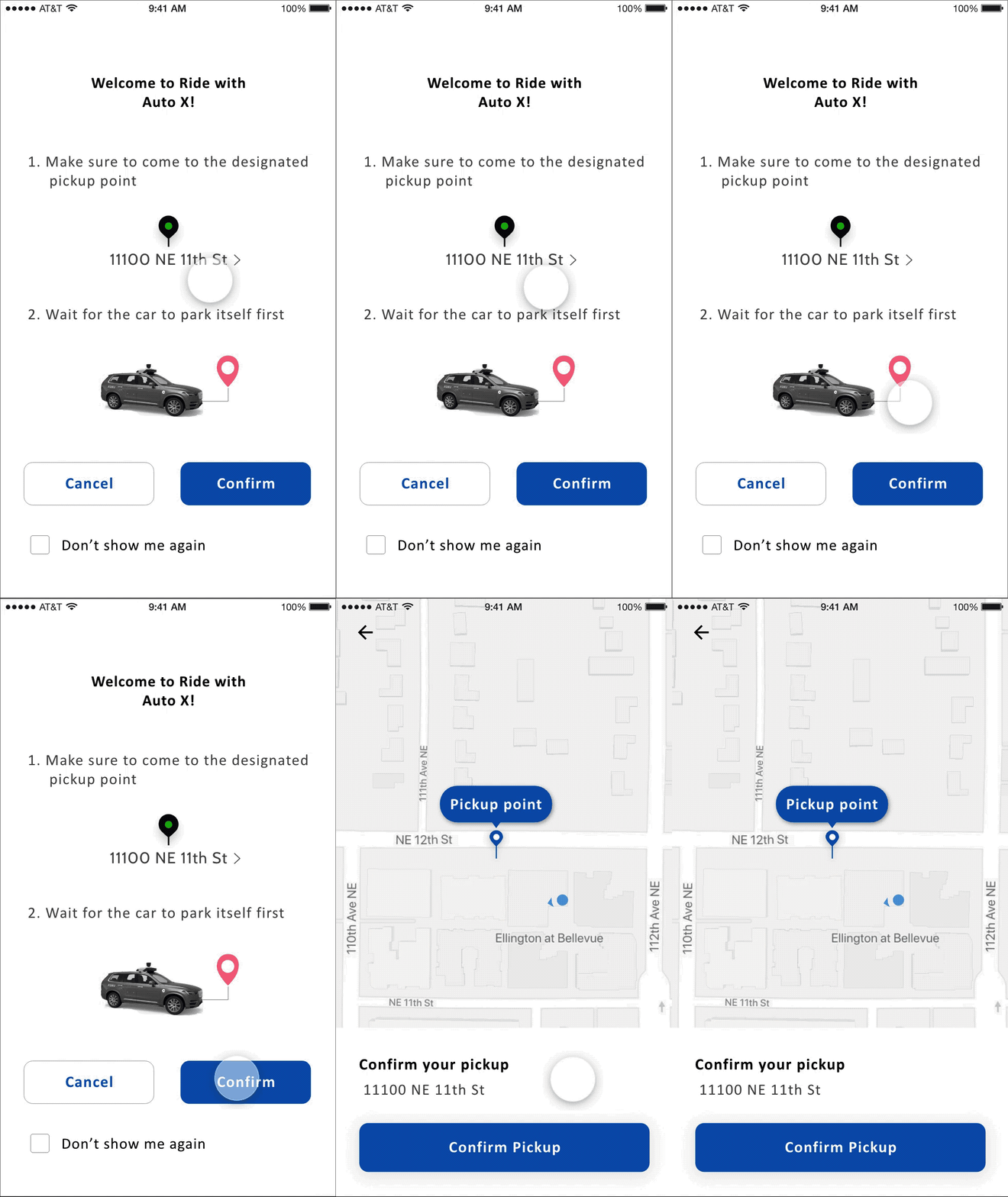
A help screen for the first time users.
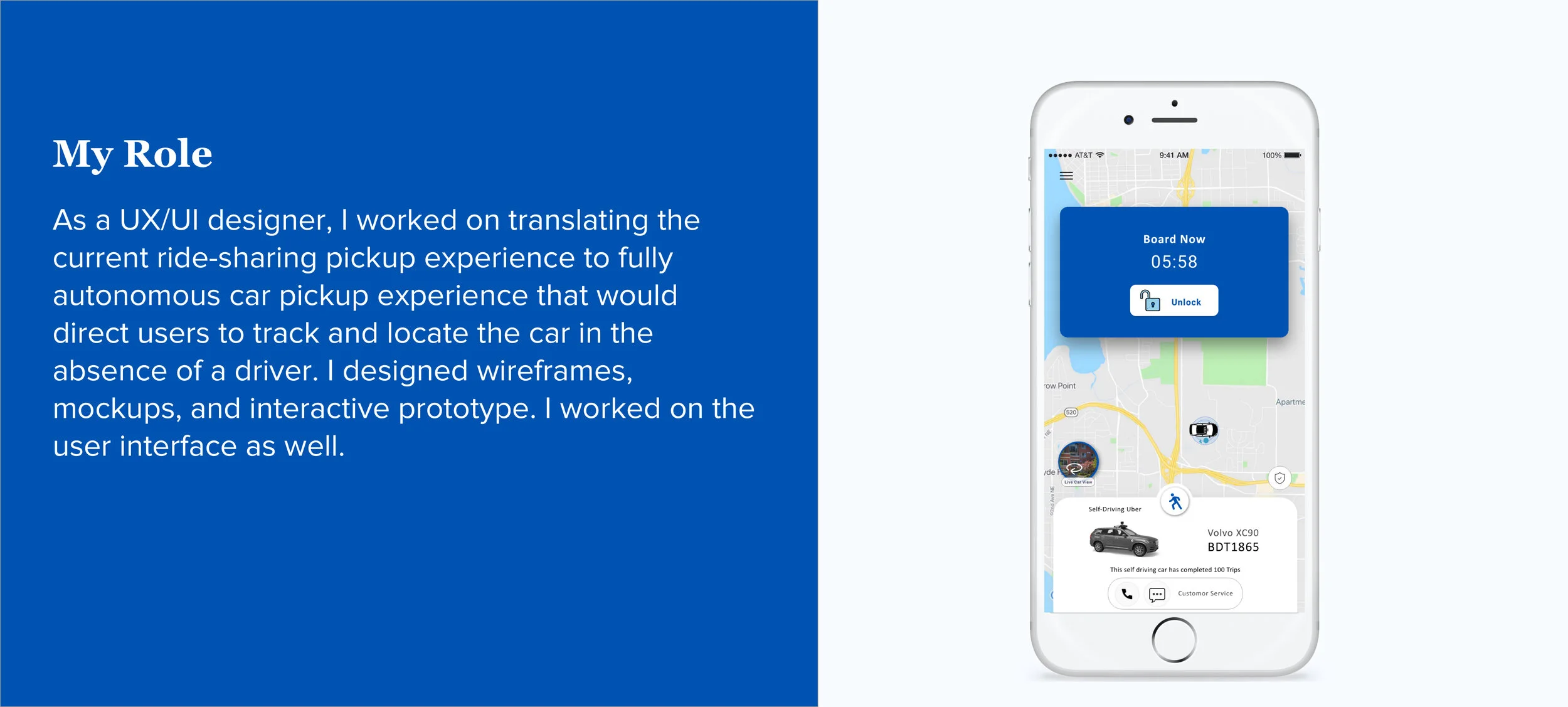
Feature 4 : Countdown timer & Control to lock and unlock the car

It lets the passenger know that the car will wait for the given remaining time.
The button lets the passenger unlock the car once they are within the range of the car at the pickup point.
Final Solution for Car App
Feature 1: Close the door
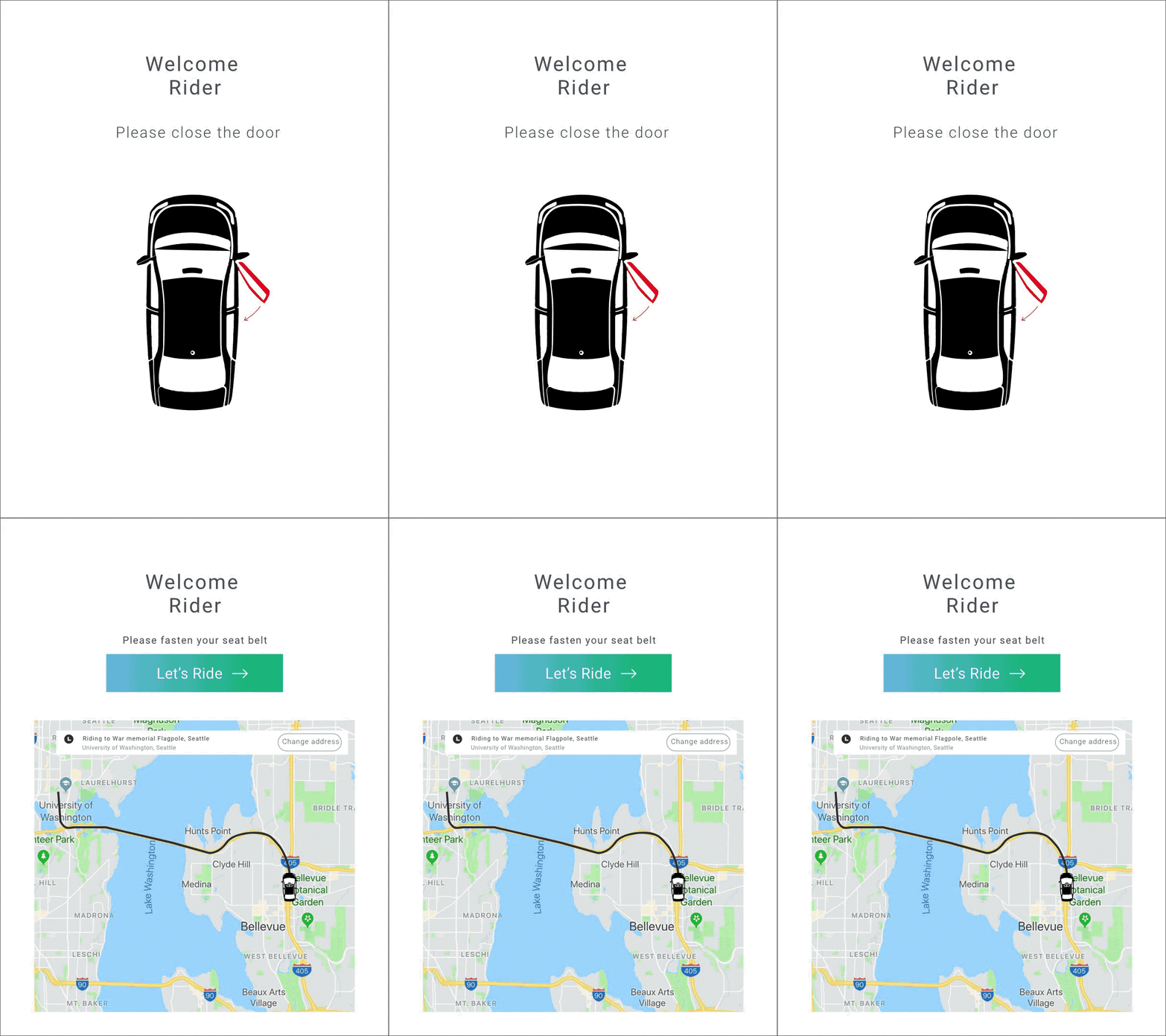
Prompts the user that the car door is not closed properly. Close it to be able to start the ride
Feature 2: Switch between map view and live view
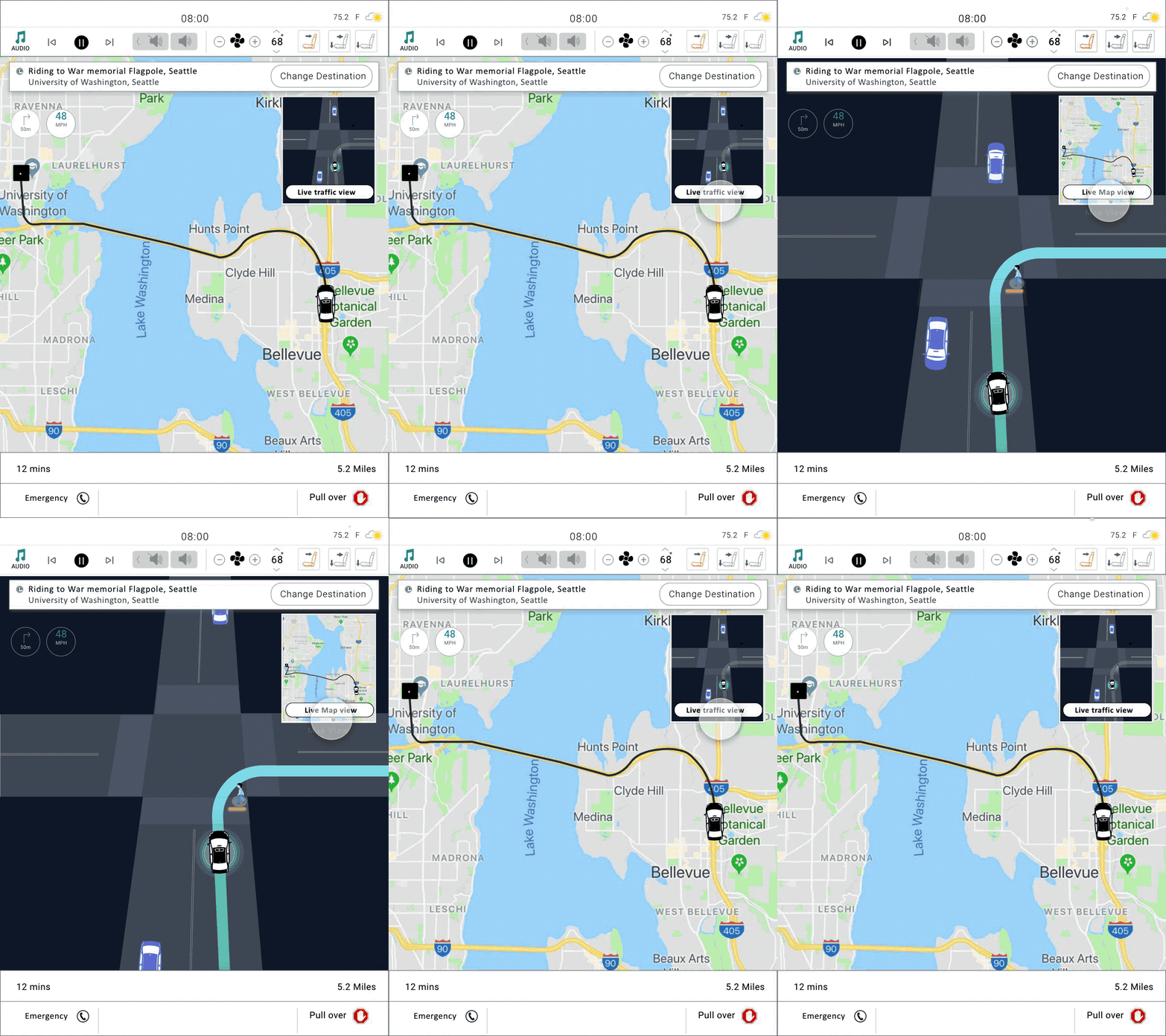
Passenger can switch between virtual view of the live traffic and map view to see the distance and time left to reach their destination.
Feature 3: Distance, time & emergency

Makes the passenger aware about the distance and time left to reach the destination.
Passenger can call or pull-over in-case of an emergency.
Colors

Reflection
For this project, we faced some challenges that were very difficult to solve. User testing for such a futuristic concept is very difficult because users are not acquainted with concepts of autonomous cars. We also introduced 360° view and augmented reality features which are not yet implemented in mainstream use cases and hence we had to coach our users before they understood it.
As part of next steps, I would have liked to concentrate on the following things.
Error recovery: I wanted to add a feature where if the user is slightly late than 5 mins then they should be able to recall the car. In our current implementation, the car would leave as soon as 5 mins are over. However, if the user is locking his door and the car leaves right in front of him then the user would feel helpless which is not a good experience.
Designated pickup points: Taxi drivers today know where to stop based on the type of pickup location. If the location is hotel they know they have pull up to the lobby and wait for rider. Airports too have designated pickup and drop-off locations. Our team discussed this at length and we came up with an idea to designate a pickup point to a user for his home or office address. I have added the thought process in the Appendix below.
Appendix
Guidelines for designated pickup location
Before we performed user testing, we assumed that a pick-up location has been designated to the selected users by following the process outlined below.
We shortlist a group of people who live in low traffic residential area and travel frequently between a set of fixed locations like home and airport.
We send a request to these riders asking if they would like to participate in self-driving car pickup experience. The request contains a designated pickup location for their home.
Users either select the pickup location and accept the request or reject the pickup location if they deem it is not a right choice for their pickup. This would act as a feedback to our systems.
The users who accepted the request see an additional option for autonomous car as their driver.